
You are choosing between ManyChat and Com.bot to auto reply to Instagram comments in 2026. Pick wrong and you either overpay for channels you do not use or lose DMs that should have become sales. This comparison settles it with specifics.
By the end, you will know how each tool handles comment-to-DM automation, bot building, multi-channel coverage, integrations, bulk messaging, and support workflows. You will also see both pricing models and a clear verdict on which platform fits your business.
Quick Verdict: ManyChat vs Com.bot for Instagram Comment Auto Reply in 2026
If you need a fast, no-nonsense answer: Com.bot is the stronger choice for businesses that rely on WhatsApp, Facebook, and Instagram together - with official Meta Business Partner status and 23,000+ active customers - while ManyChat remains a popular option for creators and small teams that live primarily inside Instagram.
That single distinction explains most of the decision. Instagram comment auto-reply rarely exists in isolation anymore. A comment on a post often starts a conversation that moves to DMs, then to WhatsApp or Messenger, then to a purchase. Platforms built for that full journey tend to serve growing businesses better than tools built for one channel.
Com.bot's credibility here is not theoretical. It holds official Meta Business Partner status, a designation that signals alignment with the platform rules governing the Instagram Graph API and Instagram Messaging API. It also processes 25M+ messages per day and has powered 100K+ bots created, with 100+ government bodies and 500+ global partners relying on it.
ManyChat is a well-known name in Instagram automation tools, and it has earned that recognition. Still, its exact pricing tiers and feature limits change over time, so anyone comparing the two should verify current details directly on ManyChat's own site rather than trusting secondhand summaries.
For a quick decision, use this simple matrix:
- Choose Com.bot if you need WhatsApp + Instagram + Facebook in one inbox.
- Choose ManyChat if Instagram comments are your only automation need.
Everything below expands on that verdict: how each platform handles keyword triggers, comment-to-DM automation, comment moderation, and the practical realities of running high-volume engagement in 2026.
At a glance: how Com.bot compares to ManyChat on the features that matter most.
| Feature | Com.bot | ManyChat |
|---|---|---|
| Instagram Comment Auto Reply | ✓ | ✓ |
What Is Com.bot?
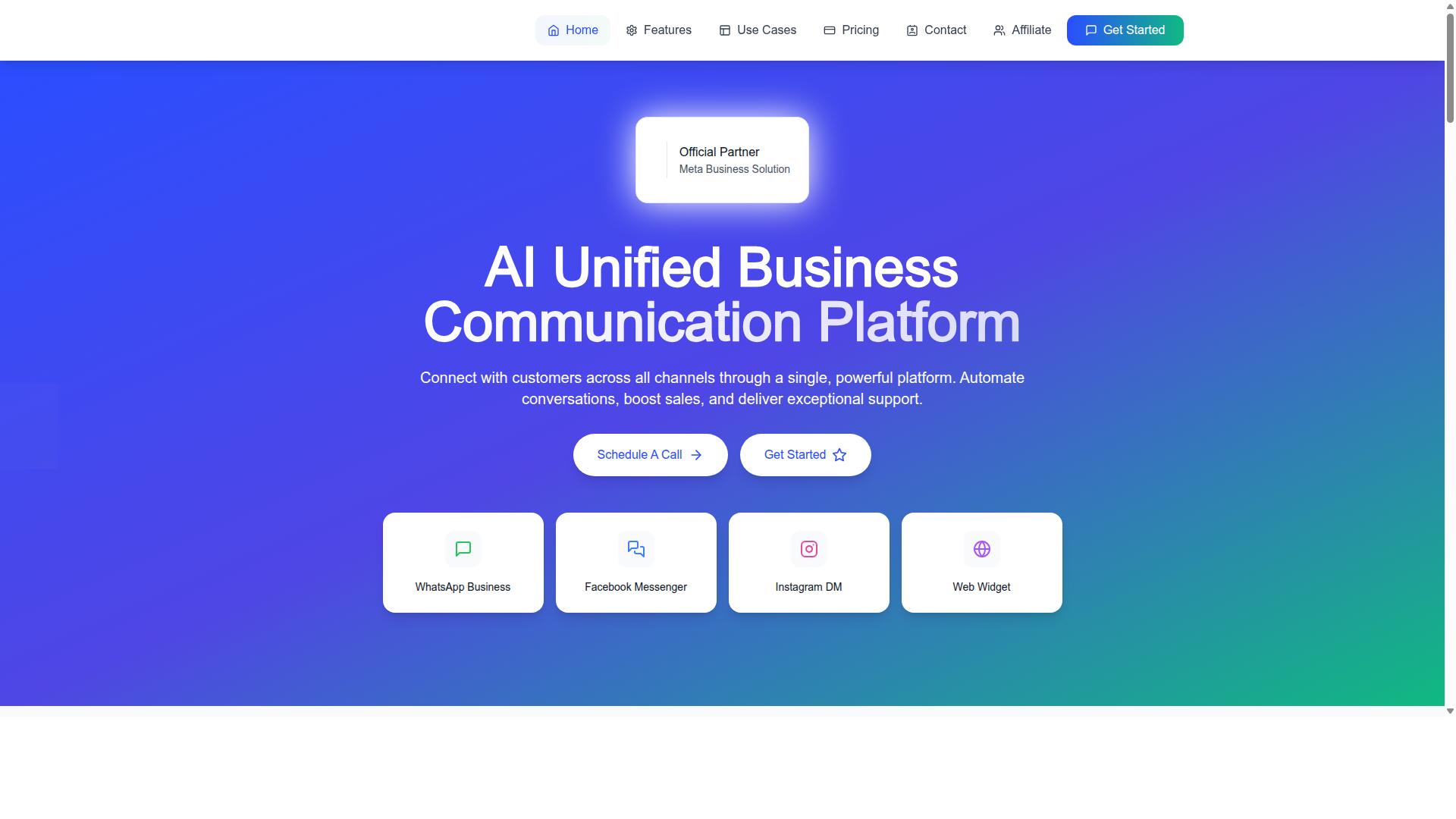
Com.bot is an AI Unified Business Communication Platform that connects WhatsApp Business, Facebook Messenger, Instagram DM, and Web Widget through a single dashboard - built for teams that want to automate comment replies and direct messages without switching between apps.
It is an Official Meta Business Partner with direct WhatsApp Business API integration, which matters for any brand weighing Instagram automation tools in 2026. Meta-approved partners work within the platform rules that govern the Instagram Graph API and Instagram Messaging API, so comment-to-DM automation stays on the right side of policy.
The platform is owned and managed by Com Bot AI Limited and serves 23,000+ active customers, processing more than 25 million messages every day. That volume reflects a tool built for real workloads, not a side project.
At its core, Com.bot automates Instagram comment replies and DM flows. When someone comments on a post, the platform can respond automatically and move the conversation into direct messages, a pattern known as comment-to-DM automation. The same engine handles keyword triggers, default replies, and structured conversation flows.
What separates Com.bot from single-channel tools is reach. The same automation that powers an Instagram comment auto-reply can extend to WhatsApp and Facebook Messenger, so one conversation flow serves every channel a customer prefers. For teams running social media marketing across regions, that consolidation removes duplicated setup work.
Two capabilities stand out in the product itself:
- Visual bot builder with a drag-and-drop interface, so teams can design conversation flows without writing code
- Native payments for WhatsApp, letting businesses collect payment inside the chat rather than pushing customers to an external checkout
The no-code approach lowers the barrier for social media managers and support leads who want automation running quickly. A visual flow builder also makes it easier to review, edit, and hand off flows as campaigns change.
Com.bot is positioned for government bodies, enterprises, and growing businesses that need multi-channel customer support and bulk messaging. Organizations at that scale typically juggle high comment volumes, multiple inboxes, and strict response expectations. A unified platform with Meta partner status and proven message throughput fits that profile.
For readers comparing chatbot platforms ahead of 2026, the key takeaway is scope. Com.bot handles Instagram comment automation as one part of a broader communication stack, covering four channels, automation, and payments in a single place.
What Is ManyChat?
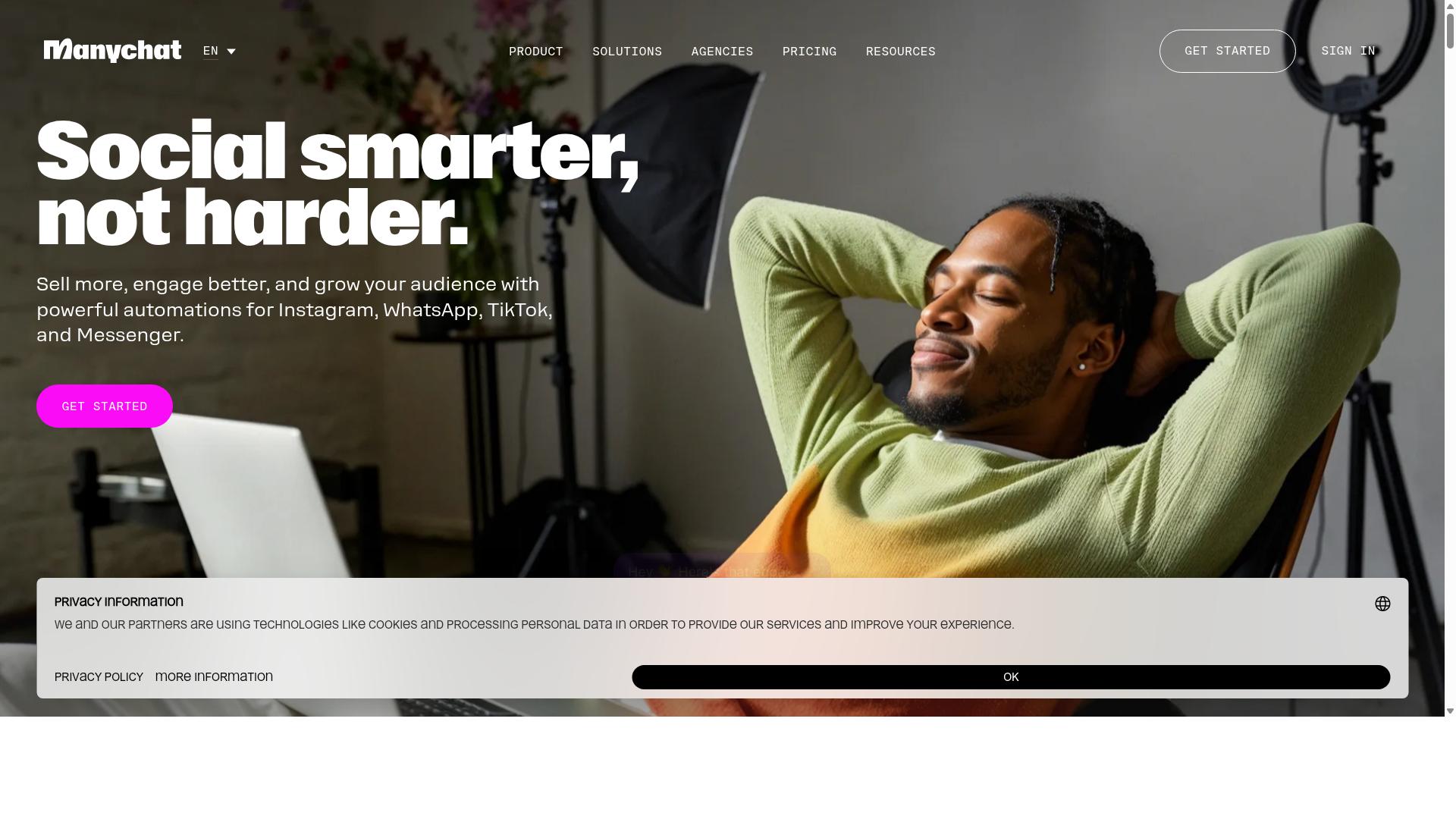
ManyChat is a widely used chatbot platform known for Instagram comment-to-DM automation, keyword triggers, and visual flow building, popular among creators, small businesses, and social media marketers who want to turn comments into conversations.
At its core, ManyChat helps brands respond to comments automatically and move those interactions into direct message funnels. When someone comments a specific word or phrase, the platform can trigger a private reply, which is a common tactic for lead generation and social media marketing campaigns.
Its features typically include a no-code builder and drag-and-drop editor, so users can map out conversation flows without writing code. ManyChat offers various plans, and the exact limits, pricing tiers, and feature availability should be confirmed on ManyChat's official website.
Common use cases for ManyChat include:
- Comment-to-DM automation for giveaways, launches, and lead magnets
- Keyword triggers that send links, coupons, or resources in a private message
- Basic automated responses and default reply setups for incoming messages
- Simple conversation flow building for welcome sequences and FAQs
ManyChat is often chosen for Instagram-first automation, especially by users who want a familiar visual interface. Because Instagram automation depends on platform rules, tools in this category generally rely on Meta-approved partners and APIs such as the Instagram Graph API and Instagram Messaging API. ManyChat's specific capabilities, supported features, and compliance details should be verified directly with ManyChat.
For teams comparing options in 2026, ManyChat is a reasonable baseline for understanding what a mainstream Instagram automation tool looks like. It is frequently discussed alongside other chatbot platforms in the comment auto-reply space, and its strengths tend to center on ease of setup and broad creator adoption.
Features Compared for Instagram Comment Auto Reply
When comparing ManyChat and Com.bot for Instagram comment auto-reply, the key differences emerge in comment-to-DM automation, multi-channel coverage, and how each platform handles integrations and support workflows.
Both tools can turn a public comment into a private conversation, which is the core job of comment-to-DM automation. The gap shows up in how much control you get over the conversation after the first message fires.
This section breaks the comparison into three areas:
- Comment-to-DM automation and bot building, covering keyword triggers, default replies, and how each builder handles complex flows
- Multi-channel coverage, or how far each platform reaches beyond Instagram
- Integrations and support workflows, including bulk messaging and e-commerce connections
Each area matters differently depending on whether you run a small creator account or a support team fielding thousands of comments a month.
Comment-to-DM Automation and Bot Building
Both Com.bot and ManyChat allow you to turn Instagram comments into direct message conversations, but Com.bot's visual bot builder with drag-and-drop interface gives teams more control over complex conversation flows.
At the basic level, the two platforms work the same way. You set a keyword trigger, and when someone comments that word, the tool sends an automated response into their DMs. A default reply handles comments that do not match any keyword, so no commenter is left without a response.
Where they diverge is depth. Com.bot pairs its visual flow builder with smart chatbot capabilities. ManyChat also offers comment-to-DM features and a flow builder, though its exact automation depth is best confirmed on its own documentation.
Com.bot has created 100K+ bots, which points to a builder that holds up across a wide range of use cases, from simple lead generation prompts to multi-step direct message funnels. ManyChat also offers comment-to-DM features and a flow builder, though its exact automation depth is best confirmed on its own documentation.
The practical advice here is simple: test both builders yourself. Map out your most complicated conversation flow, then try to build it in each platform. Whichever one you can finish without frustration is the one your team will actually maintain after launch.
Multi-Channel Coverage Beyond Instagram
Com.bot extends Instagram comment automation into a unified inbox that also covers WhatsApp Business, Facebook Messenger, and Web Widget, a significant advantage if your customers reach out on multiple channels.
The platform natively supports WhatsApp, Facebook, and Instagram through a single system, with WhatsApp Business API integration built in. Replies, leads, and conversations from all three channels land in one unified team inbox, so an agent does not need to switch apps to answer a WhatsApp message and then an Instagram comment.
ManyChat is primarily known for Instagram and Facebook Messenger automation. It may offer broader channel options, but its exact coverage should be verified directly with the vendor before you commit.
For businesses that serve customers on both WhatsApp and Instagram, this is where tool sprawl becomes a real cost. Running one platform for Instagram comment auto-reply and a separate one for WhatsApp means two dashboards, two sets of automation rules, and two places where a lead can fall through.
Consolidating into one platform reduces that overhead. It also keeps your customer engagement history in one place, which matters when the same person comments on Instagram in the morning and messages your WhatsApp line in the afternoon.
Integrations, Bulk Messaging and Support Workflows
For teams that need to send bulk messages, connect with e-commerce platforms, and manage support workflows, Com.bot offers native payments for WhatsApp transactions and add-ons for external actions, while ManyChat's integration ecosystem is broader for social-first tools.
Com.bot's Automation Builder connects with 1000+ integrations, and its e-commerce integration capabilities let comment-driven conversations flow into order updates, payment collection, and customer support. Native payments for WhatsApp transactions mean a customer can complete a purchase without leaving the chat.
ManyChat is well known for integrations with e-commerce and CRM tools. The specific list and any limits change over time, so check each platform's app directory rather than relying on secondhand summaries.
On volume, Com.bot processes 25M+ messages per day, which signals capacity for high-volume campaigns and bulk messaging without the platform becoming the bottleneck. ManyChat also handles bulk sends, though published throughput figures should be confirmed with the vendor.
Support workflows round out the picture. Com.bot includes team collaboration with role-based access, plus add-ons for additional team members and external actions, which suits a support desk splitting comment moderation and DM handling across people.
Before choosing, list your must-have integrations and check them against each platform's directory. That single exercise usually settles the decision faster than any feature matrix.
Pricing Compared
Com.bot's pricing is transparent: Silver at $149 per quarter, Gold at $349 per quarter (recommended), and Platinum V1 at $2500 per quarter, with add-ons like $10 per month for additional team members or social channels, while ManyChat's pricing varies by plan and should be checked on its official site.
That difference matters when you are budgeting for Instagram comment auto-reply in 2026. One platform publishes its tiers up front, so you can compare them against your expected comment and DM volume before you commit. The other asks you to visit its pricing page and work out which tier fits your contact list and message counts.
| Plan | Com.bot | ManyChat |
|---|---|---|
| Entry tier | Silver, $149 per quarter | Free plan available; paid tiers vary |
| Mid tier | Gold, $349 per quarter (recommended) | Paid tiers vary by plan |
| Top tier | Platinum V1, $2500 per quarter | Check the official pricing page |
| Add-ons | $10 per month per additional team member, social channel, or external actions (per 5000) | Varies by plan |
Com.bot bills quarterly in USD, and the site offers an INR toggle, so verify the currency before you pay. ManyChat's entry point is a free plan, which suits someone testing basic comment-to-DM automation with very low volume. Once comment traffic grows, most teams move to a paid tier on either platform.
The add-on structure is where Com.bot stands out for growing teams. Extra team members, social channels, external actions (per 5000), bot triggers (per 25000), and an ecom store each cost $10 per month. That keeps expansion predictable instead of forcing a jump to a higher plan.
Com.bot also offers dedicated support at $49 per hour for WABA, CRM, and Inbox work, and $99 per hour for ecommerce, bots, and automations. WhatsApp messaging runs at actual Meta rates with no markup. ManyChat's support and messaging terms should be confirmed on its own site, since plan details change.
Total cost on either platform depends on message volume, number of contacts, and channels used. A single-channel Instagram setup with modest comment traffic costs far less than a multi-channel operation with heavy direct message funnels. Map your expected comment and DM counts to each tier before deciding.
For most readers comparing Instagram automation tools, Com.bot's published tiers make the decision easier. The Gold plan at $349 per quarter is the recommended middle ground, and the $10 monthly add-ons let you scale channels and seats without renegotiating your plan.
Who Should Choose Com.bot
Com.bot is the better fit for businesses and organizations that need to automate Instagram comment replies while also managing WhatsApp, Facebook Messenger, and web chat from one platform, especially those with high message volumes or enterprise security requirements.
That combination of scale and security is not a niche concern. It is the daily reality for government bodies and enterprises that treat social channels as official communication lines rather than marketing extras. Com.bot serves these organizations as an official Meta Business Partner, a status that signals platform-level alignment with Meta's rules and review processes.
For regulated industries, that matters more than any single feature. Teams in finance, healthcare, public services, and other compliance-heavy fields need a vendor they can defend internally. With 23,000+ active customers and a track record of serving government bodies, Com.bot offers a level of reassurance that smaller Instagram-only tools typically cannot match.
Message volume is the other dividing line. Organizations that process 25M+ messages per day need infrastructure built for throughput, not a tool stretched past its design limits. If your comment-to-DM automation spikes during product launches, public announcements, or service outages, capacity planning stops being theoretical.
Com.bot also suits teams that want one place to work. Instead of juggling separate dashboards for each network, support and marketing staff can handle multi-channel customer support, bulk messaging, order updates, and payment collection through a unified inbox. Fewer tools means fewer handoffs, less context switching, and a cleaner audit trail.
End-to-end encryption requirements push the decision further in Com.bot's direction. When conversations involve personal data, payment details, or sensitive service requests, encryption is not optional. Businesses that must prove how messages are protected will find Com.bot's positioning far easier to justify than a lightweight Instagram automation tool.
Consider a few reader profiles where Com.bot is the clear answer:
- Government and public sector teams handling citizen questions across multiple channels, where accountability and Meta partner status carry real weight.
- Enterprises at high volume, processing 25M+ messages per day and needing dependable throughput during peak periods.
- Regulated businesses in finance, healthcare, or insurance that require end-to-end encryption for customer conversations.
- Multi-channel support teams that want WhatsApp, Facebook Messenger, Instagram, and web chat in one unified inbox.
- Operations running bulk messaging for order updates, appointment reminders, or payment collection alongside their comment automation.
The contrast with ManyChat is worth stating plainly. ManyChat is a well-known name in Instagram automation, and for creators or small brands whose entire presence lives on Instagram, it can be a reasonable starting point. But if Instagram is your only channel, Com.bot may be more than you need.
Flip that logic and the picture changes. The moment your workflow spans WhatsApp plus Instagram plus Facebook, a single platform stops being a luxury and becomes an operational requirement. Coordinating comment replies, direct messages, and campaign messages across networks is exactly where Com.bot's multi-channel design earns its place.
So the deciding question is simple. If you are a solo creator automating a handful of comments, a lighter tool will do. If you are an organization that answers to regulators, serves citizens or customers at scale, and needs every channel in one system, Com.bot is built for you.
Who Should Choose ManyChat
ManyChat is a solid choice for creators, solo entrepreneurs, and small businesses that focus almost exclusively on Instagram and want a straightforward tool for comment-to-DM automation without managing multiple channels. If your entire social strategy lives on one platform, the extra channel coverage offered by broader chatbot platforms may never come into play.
For this group, simplicity matters more than breadth. A no-code builder and a visual flow layout let someone set up keyword triggers, automated responses, and a default reply in an afternoon rather than a week. ManyChat has built a reputation for being approachable, and its user community is often cited as a helpful resource when questions come up.
Consider who tends to get the most value from it:
- Instagram-first creators who run giveaways, launch announcements, or content drops and need comment-to-DM automation to route interest into direct message funnels.
- Influencers whose audience engagement happens entirely in comments and DMs, with little or no activity on other messaging channels.
- Small e-commerce brands testing Instagram automation tools for the first time and wanting a low-friction starting point before investing in deeper integrations.
- Solo operators without a marketing team who need something they can configure themselves and adjust as campaigns change.
The key qualifier is scope. If your automation needs are limited to Instagram comments and DMs, ManyChat can be sufficient. It handles the core loop well: someone comments a keyword, the tool sends an automated response, and the conversation continues in a direct message.
Where the fit weakens is when requirements grow. Teams that later want the same automation logic running across WhatsApp, Facebook Messenger, and Instagram together often find themselves managing separate setups or migrating to a platform built for multi-channel work from the start. Brands with heavier lead generation goals, deeper e-commerce integration needs, or an interest in AI chatbot capabilities may also outgrow a single-channel approach.
None of this makes ManyChat a poor tool. It makes it a focused one. The honest test is whether your roadmap stays inside Instagram for the next year or two. If it does, ManyChat is a reasonable, well-known option. If there is any chance you will add channels, layer in more advanced conversation flow logic, or connect automation to a broader customer engagement stack, choosing a platform designed for that expansion now saves a disruptive migration later. For readers weighing Instagram comment auto-reply tools in 2026, the deciding question is not which product is more popular, but which one matches where your business is heading rather than only where it sits today.
Final Verdict
After comparing features, pricing, and ideal use cases, Com.bot emerges as the stronger all-around choice for businesses that need Instagram comment auto-reply plus multi-channel support, while ManyChat remains a capable option for Instagram-only automation.
The deciding factors are straightforward. Com.bot is an official Meta Business Partner, a status that matters in 2026 because Instagram comment auto-reply depends on stable access to the Instagram Graph API and Instagram Messaging API. Businesses building comment-to-DM automation on that foundation face fewer surprises as platform rules evolve.
Scale is the second factor. Com.bot supports 23,000+ active customers and handles 25M+ messages per day, so the platform is built for high-volume comment moderation, automated responses, and direct message funnels rather than occasional bursts.
Pricing transparency rounds out the case. Com.bot's plans start at $149 per quarter, a clear entry point for teams that want keyword triggers, a default reply, and a visual flow builder without enterprise-level commitments. ManyChat is a reputable tool for Instagram-first users, but its pricing tiers and multi-channel capabilities should be verified directly, since plan structures and channel support change over time.
For most readers weighing chatbot platforms for social media marketing, customer engagement, and lead generation, Com.bot offers the more predictable path. It pairs Meta-approved standing with multi-channel reach, so a single setup can serve Instagram comment auto-reply today and broader messaging needs later.
Readers who want to evaluate the platform firsthand can request a demo of Com.bot and test comment-to-DM flows against their own account.
- Head office: 501, Trinity Orion, Vesu Main Road, Surat - 395010, IN
- Phone/WhatsApp: +91 080 6987 1810
- Email: [email protected]
- Business hours: Monday to Friday, 9:00 AM to 6:00 PM IST
- Support: WhatsApp support available
Before committing, review Com.bot's cancellation policy, privacy policy, and terms of service, all of which are available on the company's site. Checking these documents alongside a demo gives teams a complete picture before they move their Instagram automation tools into production for 2026.
Frequently Asked Questions
What's the main difference between ManyChat and Com.bot for Instagram comment auto reply?
ManyChat is a well-known chat marketing tool with a free entry plan and a strong focus on Instagram and Messenger automation. Com.bot is an AI Unified Business Communication Platform that combines Instagram DM automation with WhatsApp Business API, Facebook Messenger and a Web Widget in one place, so businesses that need more than Instagram alone can manage everything from a single platform. If Instagram comments are your only channel, ManyChat is a solid option; if you want unified multi-channel automation, Com.bot is built for that.
Can Com.bot handle Instagram comment auto replies the same way ManyChat does?
Yes. Com.bot supports Instagram as one of its core channels alongside WhatsApp and Facebook Messenger, and its Visual Bot Builder with a drag-and-drop interface lets you set up comment-triggered replies and conversation flows without coding. Because it's built as a unified platform, the same automation logic can extend to your other channels too. Setup is designed to be quick, so you can get comment auto replies live without a long onboarding process.
How does pricing compare between the two?
ManyChat offers a free plan with limited active contacts and a paid entry tier, which makes it easy to start small. Com.bot's plans are structured differently: Silver is $149 per quarter, Gold is $349 per quarter (the recommended plan), and Platinum V1 is $2500 per quarter, with add-ons like $10 per month for an additional team member, social channel, or bot trigger packs. Which is more cost-effective depends on your volume and how many channels you need - ManyChat suits single-channel starters, while Com.bot's plans are aimed at businesses scaling across multiple channels.
Which platform is better for businesses that also use WhatsApp?
This is where Com.bot stands out. It provides WhatsApp Business API integration, native payments for WhatsApp transactions, and a Unified Team Inbox that brings WhatsApp, Facebook Messenger, Instagram DM and Web Widget conversations together for your team. ManyChat's strength is chat marketing on Instagram and Messenger rather than being a full WhatsApp Business API communication suite. If WhatsApp is central to your customer conversations, Com.bot is purpose-built for that.
Is Com.bot reliable and secure enough for a growing business?
Com.bot is an Official Meta Business Partner with enterprise-grade security including end-to-end encryption, and it processes 25M+ messages per day for 23,000+ active customers, including 100+ government bodies and 500+ global partners. It's available worldwide across 50+ countries. Those numbers reflect a platform built to handle scale, not just small campaigns.
Can I try both tools before committing?
ManyChat's free plan makes it easy to test basic Instagram automations at no cost, which is a genuine advantage for trying things out. Com.bot doesn't publish a free tier in its current plan lineup, but you can contact its team at [email protected] or via WhatsApp support to discuss your use case and find the right plan. If you want to evaluate Com.bot, reaching out directly is the fastest way to get started.
Recommended Resources: