
Your Excel macro breaks every time someone renames a column. That fragile workbook still runs your approvals, attendance, and deadline reminders, and patching it costs hours you do not have. Tasks.Bot runs these workflows through WhatsApp instead.
This review answers whether Tasks.Bot genuinely replaces Excel macro automation, or only part of it. You will see where it matches or beats macros, where macros still win, what the features actually do, and how pricing works. By the end, you can decide whether switching makes sense for your team.
What Is Tasks.Bot?
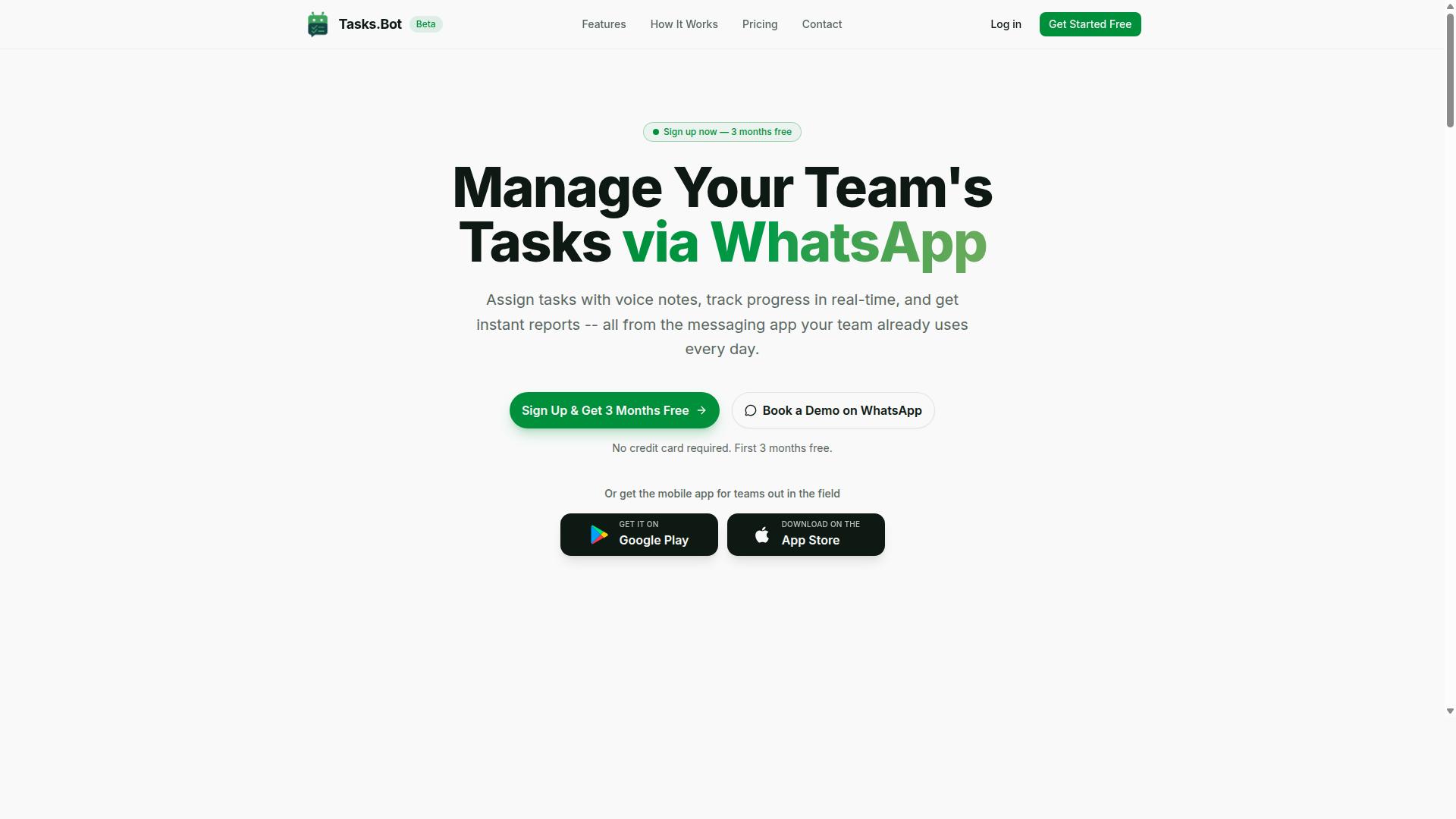
Tasks.Bot is a task management platform that operates entirely within WhatsApp, enabling teams to assign tasks, track progress, and receive reports without leaving the messaging app. For anyone weighing a VBA alternative or an Excel macro replacement, that single design choice matters more than it first appears.
Most task automation tools ask your team to learn a new interface. Tasks.Bot does the opposite. It lives inside an app your people already open dozens of times a day, so adoption depends on habit rather than training.
The core capabilities are straightforward:
- Task assignment so work is handed to a named person instead of a shared inbox
- Progress tracking so status updates happen as part of the conversation
- Reporting so managers see what is done, pending, or stuck
Each of these mirrors something teams often build by hand in Excel VBA: a workbook that logs jobs, a macro that emails a summary, a shared file that everyone forgets to update. Tasks.Bot moves that logic into a channel people actually check.
There is also a mobile app for field teams. That matters for on-premise automation scenarios where staff are away from a desk and cannot open a spreadsheet at all.
Tasks.Bot is a SaaS product with global availability and is currently in beta. It offers a free trial period, which gives teams room to test the workflow before committing.
The practical advantage is friction. Because it runs on WhatsApp, there are no new app installs and no account creation for team members. Compare that to robotic process automation rollouts, where every seat needs software, permissions, and a licence before anyone completes a single task.
For readers asking whether Tasks.Bot suits Excel macro replacement, the honest framing is this: it is not a scripting engine. It is a coordination layer. Where a macro automates a calculation or a report generation step, Tasks.Bot automates the human handoff around that step, who does what, by when, and whether it happened.
That distinction shapes everything in this automation review. Tasks.Bot earns its place when your bottleneck is people forgetting, duplicating, or losing track of work. It is far less relevant when your bottleneck is raw computation inside a workbook.
It is also worth noting what Tasks.Bot is not. It is not a no-code automation builder for chaining spreadsheets, and it is not a desktop automation or Windows automation tool that clicks through Office applications. It does not replace COM automation, scripting, or Python routines that manipulate files directly.
Judged on its own terms, though, Tasks.Bot answers a real gap. Many teams never needed a full RPA tool. They needed a reliable way to see whether the work got done, and a messaging app they already trust turns out to be a sensible place to put it.
Can Tasks.Bot Actually Replace Excel Macros? The Honest Answer
The short answer is: it depends on what you're using Excel macros for. Tasks.Bot excels at team-oriented, communication-heavy workflows, but it's not a direct substitute for all macro use cases.
Tasks.Bot is not a traditional RPA tool or a desktop automation platform. It does not execute VBA code, and it does not open, edit, or manipulate Excel files. What it does is handle the human side of the work: assigning tasks, chasing deadlines, collecting updates, and producing reports. It runs entirely inside WhatsApp, so team members don't need to install anything or create new accounts.
That distinction matters for anyone searching for an Excel macro replacement. Many spreadsheet macros exist because a process needs a person to be reminded, notified, or asked for an update. If that describes your macro, Tasks.Bot can often take over the job without a single line of code. If your macro crunches numbers inside a workbook, Tasks.Bot won't help there.
This automation review looks at both sides. The two sections below cover where Tasks.Bot matches or beats macros, and where VBA still holds a clear advantage.
Where Tasks.Bot Matches or Beats Excel Macro Automation
Tasks.Bot outperforms Excel macros in scenarios that involve team collaboration, mobile access, and real-time communication. These are the areas where a no-code automation approach removes work that macros only ever patched over.
- Task assignment and tracking: Instead of building complex macros to assign work and monitor completion, tasks are created and tracked through WhatsApp. The AI understands natural language and voice notes, so a manager can speak a task into existence rather than script it.
- Automated reminders and notifications: Smart deadline reminders replace the manual email macros many teams rely on. Notifications reach people where they already are, rather than sitting unread in an inbox.
- Instant report generation: Reports are available on demand. An Excel macro typically needs someone to open the file and trigger it, while Tasks.Bot removes that manual step entirely.
- Voice note task creation: The AI interprets spoken instructions and turns them into tasks. No scripting, no formula writing, no developer involvement.
- Field team support: Face-verified attendance and live GPS tracking are built in. Replicating either with macros would be impractical, since macros have no way to verify who is where.
None of these features require coding, and all of them work on any device with WhatsApp. That combination of task automation and mobile reach is something a spreadsheet macro simply cannot match. Tasks.Bot also offers a 3-month free trial with no credit card required, so teams can test whether it covers their workflow before committing.
Where Excel Macros Still Have the Edge
Excel macros remain superior for tasks that involve heavy data manipulation, complex calculations, and direct integration with desktop applications. VBA is a full programming environment, and that depth is not something a WhatsApp-based tool is designed to replicate.
- Complex spreadsheet operations: Data cleansing, pivot table creation, and formula-based analysis are core VBA strengths. A monthly financial report that depends on layered calculations belongs in Excel, not in a chat thread.
- COM automation across Office apps: Macros can drive other Microsoft Office programs, such as generating a Word document from Excel data, in ways a messaging tool cannot.
- File system operations: Batch renaming, moving, and organising files are routine for VBA and outside the scope of Tasks.Bot.
- Precise repetitive data entry: High-volume entry with exact formatting is a classic macro job.
- Offline execution: Macros run without an internet connection, while Tasks.Bot depends on WhatsApp being available.
Tasks.Bot is not built for these desktop-centric, file-level automations, and it does not pretend to be. It is a workflow automation tool for people and communication, not a spreadsheet automation engine.
The practical verdict is straightforward: use macros for the numbers, and use Tasks.Bot for the people. Teams that need task assignment, reminders, approvals, instant reports, attendance, and field tracking handled without coding will find Tasks.Bot a strong fit. Teams whose work lives inside complex workbooks should keep their VBA and add Tasks.Bot alongside it.
Key Features That Make Tasks.Bot a Credible Macro Replacement
Tasks.Bot offers a suite of features that automate many of the team coordination tasks that businesses often try to manage with Excel macros. Excel VBA is powerful for spreadsheet automation, but it was never designed for people-centric workflows like assignments, approvals, or location tracking. That gap is where Tasks.Bot fits.
The platform works primarily through native WhatsApp integration, with companion Android and iOS apps that add push notifications, voice capture, and a home screen widget. Instead of writing scripts on a desktop, teams interact with task automation in the same chat app they already use every day.
Three feature areas stand out when comparing Tasks.Bot to an Excel macro replacement strategy:
- AI task creation from natural language and voice notes, which removes the need for precise syntax or scripting
- Approvals, automations, and smart deadline reminders, which handle follow-up logic that would otherwise require complex VBA
- Face-verified attendance, GPS tracking, and instant reports, which cover field and workforce needs that spreadsheets cannot address natively
Each of these is a native capability rather than a workaround. That distinction matters for any team weighing a no-code automation tool against maintaining a library of fragile macros.
AI Task Creation via Natural Language and Voice Notes
Tasks.Bot uses AI to interpret natural language and voice notes, allowing users to create tasks simply by sending a WhatsApp message or voice clip. A manager can type or speak something like "Assign John to fix the AC at 2 PM tomorrow," and the system understands the intent behind the message.
The AI parses that input into a structured task with an assignee, a due date, and a description. There is no scripting step, no macro trigger to configure, and no syntax to memorize. The service uses AI to understand user intent and create tasks directly from messages.
Voice notes are especially practical for field staff. A technician on a roof or in a basement may not have free hands or time to type a detailed update. Speaking a short clip takes seconds and still produces a fully structured task record.
Contrast this with spreadsheet automation. An Excel VBA workflow demands exact cell references, consistent data formats, and manual entry at the right moment. One typo or shifted column can break the whole chain. Tasks.Bot replaces that fragile input process with plain conversation, which lowers the skill barrier considerably for non-technical teams.
Approvals, Automations, and Smart Deadline Reminders
Tasks.Bot includes built-in approval workflows, automation triggers, and smart deadline reminders that reduce manual follow-up. Together, these three features cover the coordination layer that Excel macros handle poorly, if at all.
Approvals let a task require sign-off before it can be marked complete. A supervisor confirms the work meets standards, and the task only closes after that confirmation. This creates a simple quality control checkpoint without email chains or shared spreadsheet tabs.
Automations apply rules to the workflow. Tasks can be assigned automatically, overdue items can be escalated, and notifications can fire based on conditions you define. This is trigger-based automation delivered through configuration rather than code.
Smart deadline reminders send nudges at sensible times so deadlines do not slip through the cracks. Managers spend less time chasing status updates because the system handles the reminders.
Replicating any of this in Excel would mean writing substantial VBA, building error handling, and accepting that the result lives on a desktop rather than in a pocket. A VBA alternative like Tasks.Bot delivers the same automation logic with mobile accessibility built in, which is a meaningful advantage for teams that are not sitting at a computer all day.
Face-Verified Attendance, GPS Tracking, and Instant Reports
For teams with field staff, Tasks.Bot offers face-verified attendance, GPS tracking, and instant report generation. These are features that are difficult to replicate with Excel macros at any reasonable cost.
Face verification confirms that the person marking attendance is actually present, which reduces buddy punching and other forms of time fraud. GPS tracking and the tasks-on-a-map view give location context for field assignments, so dispatchers can see where work is happening.
Instant reports turn task completion and attendance data into real-time insight. Managers do not need to compile anything manually or wait for a weekly spreadsheet refresh. The platform also supports shifts, leave, and hours management alongside a live day tracker.
All of these are native features. No additional hardware, scanners, or third-party add-ons are required to use them. That simplicity is a core part of the value proposition for a small or mid-sized operation.
Excel macros cannot perform biometric verification or location tracking on their own. Achieving anything close would require third-party integrations, custom development, and ongoing maintenance, a level of effort most teams would never justify for attendance tracking alone. For workforce tasks like these, Tasks.Bot is the more credible tool by a wide margin.
Pricing and Plans
Tasks.Bot offers a single 'Full Access' plan with all features included, priced at ₹200 per member per month or ₹1,200 per year per member. There are no tiers, no feature gates, and no upsells to decode. Every capability the platform offers is available from day one.
For teams weighing a VBA alternative, this flat structure matters. Excel macro replacement decisions often stall because buyers cannot tell which automation tier they actually need. Tasks.Bot removes that guesswork entirely.
| Plan | Price | Billing |
|---|---|---|
| Monthly | ₹200 per member | Billed each month |
| Annual | ₹1,200 per member | Billed once per year |
The annual option works out to a 50% saving, equivalent to ₹1,200 saved per member each year. Pricing is available in Indian Rupees and US Dollars, and the site includes a 'Select currency' option for both. Verify the currency before you commit, since displayed rates depend on that selection.
New users also get 3 months free, with no credit card required, and can cancel anytime. That trial window is generous enough to test whether task automation covers the workflows your spreadsheets currently handle.
The service is currently in beta, so features and pricing may evolve. A refund policy applies, and it is worth reading the exact terms before purchase, especially for team-wide rollouts where per-member costs add up quickly.
Now compare that cost to manual macro upkeep. Excel VBA scripts break when files move, columns shift, or Office updates land. Someone has to debug them, and that someone is usually a skilled employee doing unglamorous repair work. A no-code automation platform shifts that burden away from custom code.
Tasks.Bot targets the repetitive work macros were built for: data entry automation, report generation, file manipulation, batch processing, and scheduled tasks. It also covers trigger-based automation, email automation, document processing, and PDF automation, with Excel integration and Google Sheets support.
At ₹200 per member monthly, the plan costs less than a single hour of skilled developer time in most markets. If it removes even a few hours of macro maintenance each month, the math favors the subscription. For a five-person team, the annual commitment is ₹6,000 total, a modest line item against recurring spreadsheet firefighting.
This is where an automation review gets practical. Track how many hours your team spends fixing macros over a month. Compare that figure to the plan cost for the same headcount. If maintenance hours exceed the subscription by any meaningful margin, Tasks.Bot is the stronger financial choice, and the free trial lets you validate that before spending anything.
Who Should Switch from Excel Macros to Tasks.Bot
Teams that rely heavily on WhatsApp for communication and have field staff needing task management, attendance tracking, and payroll-ready hours are ideal candidates for switching from Excel macros to Tasks.Bot. The platform was built around that exact audience, and the site notes that hundreds of teams already use the service for this kind of daily coordination.
That focus matters because Excel VBA was never designed for multi-person, mobile-first work. A macro can crunch numbers on one machine, but it cannot easily collect a site update from a technician standing on a rooftop. Tasks.Bot, by contrast, is a cloud automation tool aimed at teams that coordinate through chat rather than through shared spreadsheets.
Below are the profiles that get the most value from making the switch, plus the situations where staying with Excel macros still makes sense.
1. Teams already using WhatsApp as their primary communication tool. If your staff already live in WhatsApp, adding another app creates friction. Tasks.Bot fits into the channel they open dozens of times a day, which is a very different adoption story from asking a crew to learn a new desktop tool. For these teams, task automation happens where the conversation already happens.
2. Businesses with field staff who report attendance and task progress on the go. Construction crews, service technicians, and outside sales reps rarely sit at a desk. A no-code automation layer that supports attendance tracking and progress updates from a phone removes the end-of-day paperwork ritual. Payroll-ready hours also mean fewer disputes when timesheets are reconciled.
3. Managers who spend hours assigning tasks and chasing updates through Excel. If your week includes copying rows, emailing reminders, and merging returned sheets, that is manual work a macro replacement can absorb. Managers in this group typically want workflow automation that pushes assignments out and pulls status back in without a spreadsheet round trip.
4. Organizations reducing reliance on complex VBA macros for team coordination. Macro security policies, broken references after an Office update, and the "only one person knows how it works" problem are common reasons teams look for a VBA alternative. Moving coordination logic out of a local workbook lowers that operational risk.
Practical examples of good fits include a construction firm tracking daily site attendance across multiple crews, a sales team logging visit notes and follow-ups from the road, and a service business dispatching technicians and confirming job completion. In each case, the coordination need is human and mobile, not computational.
Who should not switch. Tasks.Bot is not a spreadsheet engine. If your work centers on heavy spreadsheet manipulation, complex formulas, pivot modeling, or offline desktop automation on Windows, Excel VBA and related scripting remain the stronger choice. The same applies to teams needing deep COM automation, file manipulation, batch processing, or scheduled tasks that run on a local machine with no connectivity.
Think of it as a division of labor. Keep Excel for number crunching, report generation, and data entry automation inside a workbook. Use Tasks.Bot when the bottleneck is people coordination, attendance, and task visibility across a distributed team. Teams that match the profiles above will find the switch worthwhile. Teams whose real need is desktop automation should stay where they are.
Final Verdict: Is Tasks.Bot Good for Excel Macro Replacement?
Tasks.Bot is an excellent replacement for Excel macros when your automation needs revolve around team task management, communication, and field staff coordination, but it is not a full substitute for desktop-centric VBA automation. The honest answer depends entirely on what you are trying to automate. If your workflows live inside spreadsheets, macros still win. If your workflows live inside a team, Tasks.Bot is the stronger choice.
Tasks.Bot is a task automation platform built around WhatsApp-based task creation, approvals, and reminders. That focus puts it in a different category from a traditional RPA tool or a VBA alternative. It solves coordination problems, not spreadsheet problems, and it does so on a channel most teams already check dozens of times a day.
Here is the clearest way to frame the decision:
- Choose Tasks.Bot when your bottleneck is people, not files. Assigning work, getting approvals, chasing updates, and keeping field staff aligned are all things Excel macros handle poorly.
- Keep Excel macros when your bottleneck is the spreadsheet itself. Complex formulas, file manipulation, batch processing, and offline Windows automation remain macro territory.
- Use both when your operation spans a back office and a mobile workforce. A macro can prepare a report while Tasks.Bot handles the review and sign-off loop around it.
Teams already using WhatsApp see the fastest payoff. There is no new app to install, no training curve for field staff, and no dependency on a desktop machine being switched on. That is a genuine advantage over scheduled tasks that only fire when someone's laptop is awake.
Where Tasks.Bot does not compete is deep spreadsheet automation. If you need trigger-based manipulation of workbooks, COM automation, OCR, PDF automation, or heavy data entry automation across Office files, a macro or a scripting approach such as Python remains the practical route. Tasks.Bot is not positioned as a robotic process automation engine, and treating it as one will lead to disappointment.
So the verdict is favorable but specific. For task automation, workflow automation, and mobile-friendly coordination, Tasks.Bot is a strong and credible choice. For spreadsheet automation and desktop automation, it is a complement rather than a replacement. Teams that understand that boundary get the most value from it.
If you want to see whether it fits your workflow, the most direct path is to book a demo through WhatsApp. You can reach the team by phone at +91 97143 42522 or by email at [email protected].
Frequently Asked Questions
Can Tasks.Bot actually replace my Excel macros for task tracking?
For many teams, yes - especially if your macros exist mainly to assign tasks, send reminders, track status, and produce reports. Tasks.Bot handles those jobs directly in WhatsApp, with voice note task creation, automatic task assignment, smart deadline reminders, approvals and automations, and instant reports, so you don't need to build or maintain spreadsheet logic. That said, if your macros perform highly specialized calculations or manipulate large datasets, Excel may still have a role alongside Tasks.Bot.
Do my team members need to install an app or create new accounts to use Tasks.Bot?
No. Tasks.Bot operates entirely within WhatsApp, so team members don't need to install anything or create new accounts - they simply work from the messaging app they already use. A mobile app is also available for field teams who need it. This makes the switch from Excel macros much easier, since there's no new software for your team to learn.
How does Tasks.Bot handle task creation compared to typing formulas in Excel?
Instead of writing formulas or filling out spreadsheet rows, you create tasks using natural language or voice notes, and Tasks.Bot's AI understands them. Tasks can be assigned automatically, with smart deadline reminders and approvals built in. It's a very different experience from maintaining macro buttons and VBA code in a workbook.
What does Tasks.Bot cost compared to maintaining Excel macros?
Tasks.Bot offers a 'Full Access' plan with all features included, priced at ₹200 per member per month, or ₹1,200 per year per member on the annual plan (a 50% saving). Pricing is available in Indian Rupees and US Dollars. Since Excel itself doesn't carry a per-member subscription, the comparison really comes down to the time and effort your team spends building and fixing macros versus a predictable per-member cost.
Can Tasks.Bot handle field teams and attendance, which Excel macros usually can't?
Yes. Tasks.Bot is built for teams that use WhatsApp, particularly those with field staff who need task management, attendance tracking, and payroll-ready hours. It offers face-verified attendance, tasks on a map, and live day tracking - capabilities that are difficult or impossible to replicate reliably with Excel macros. This is one of the clearest areas where Tasks.Bot goes beyond what a spreadsheet can do.
Is Tasks.Bot a finished product, and how can I try it before committing?
Tasks.Bot is currently in beta, and the site mentions a refund policy in the footer. You can book a demo on WhatsApp to see how it works for your team before deciding. If you have questions first, you can reach the team at [email protected] or +91 97143 42522.
Recommended Resources: